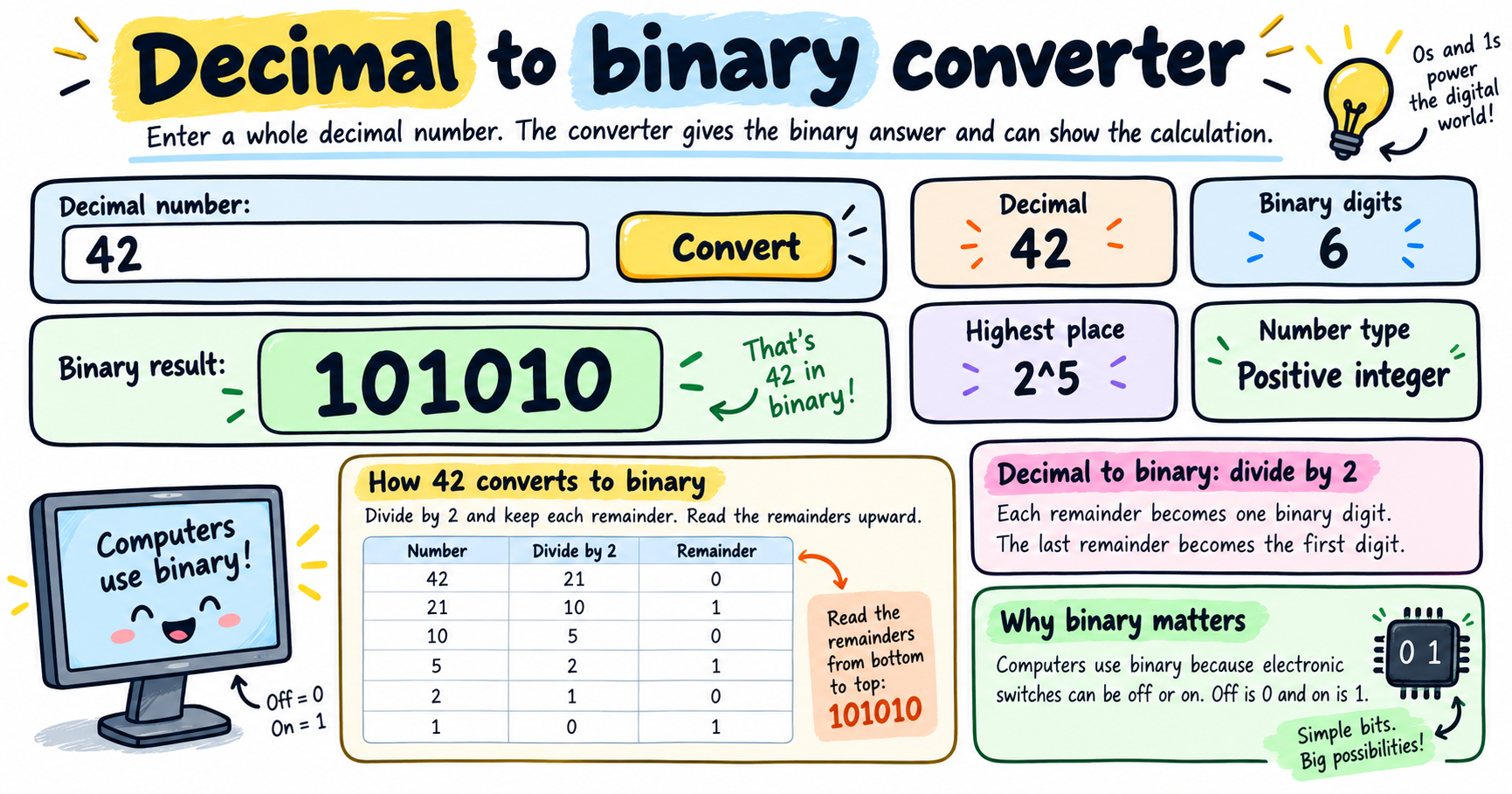
Use this decimal to binary converter to convert base 10 numbers into binary and see the step-by-step division method. You can also convert between binary, decimal, octal, hexadecimal, and other bases.
How to use the decimal to binary converter
Enter a decimal number
Type a whole base 10 number, such as 42, 64, 100, or 255.
Read the binary result
The converter instantly shows the number using only 0s and 1s.
Show the calculation
Click Show Calculation to see the repeated division by 2 method.
Try other bases
Use the base converter for binary to decimal, decimal to hex, hex to decimal, octal to decimal, and more.
Core idea
Decimal is base 10, while binary is base 2. To convert a whole decimal number to binary, divide by 2 again and again, record the remainders, then read those remainders from bottom to top.
Common examples
Decimal to binary
4210 = 101010242 becomes 101010 in binary.
Binary to decimal
1010102 = 4210Each binary place is a power of 2.
Decimal to hexadecimal
25510 = FF16Hexadecimal uses 0-9 and A-F.
Decimal to octal
6410 = 1008Octal is base 8.
Ideas for practice
- Convert 13, 25, 42, and 255 from decimal to binary.
- Click Show Calculation and explain why the remainders are read upward.
- Convert FF from base 16 to decimal.
- Convert 101010 from binary to decimal.
Frequently asked questions
What is a decimal to binary converter?
It is a tool that changes a base 10 number into base 2, where the number is written using only 0 and 1.
How do you convert decimal to binary by hand?
Divide the decimal number by 2, write down each remainder, and read the remainders from bottom to top.
What is hexadecimal?
Hexadecimal is base 16. It uses digits 0-9 and letters A-F.
Can this tool convert other bases?
Yes. The second converter can convert between bases 2 through 36, including binary, octal, decimal, and hexadecimal.