
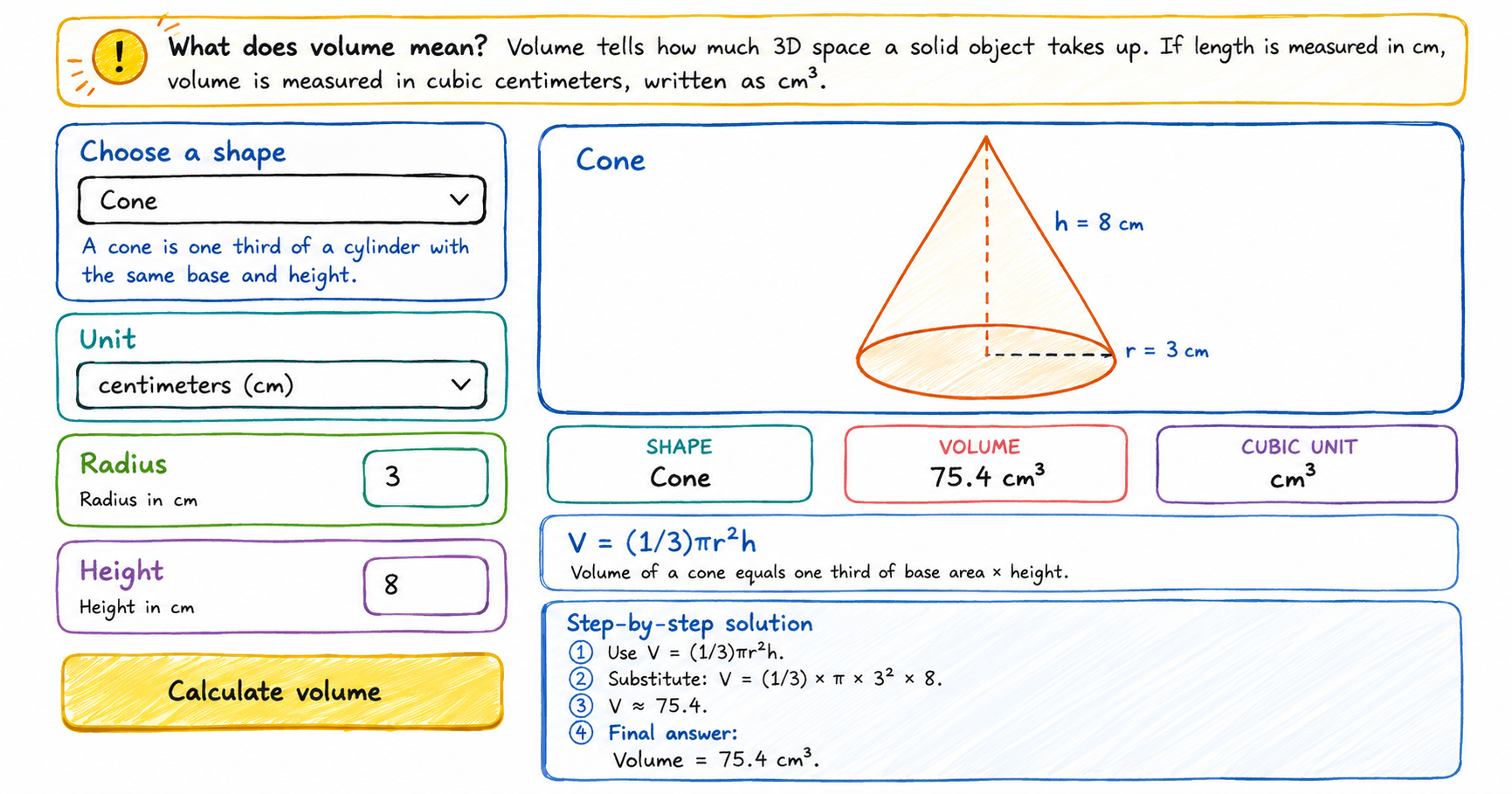
Use this multi-shape volume calculator to find the volume of a cube, cuboid, cylinder, cone, sphere, or hemisphere. Each answer includes a diagram, formula, cubic units, and step-by-step calculation.
How to use the volume calculator
Choose a shape
Select cube, cuboid, cylinder, cone, sphere, or hemisphere.
Enter measurements
The input fields change automatically for the selected shape.
Select a unit
Use mm, cm, m, inches, or feet. The answer appears in cubic units such as cm³ or ft³.
Read the steps
Check the formula and follow the substitution step by step.
What does volume mean?
Volume is the amount of three-dimensional space inside or occupied by an object. A volume of 125 cm³ means the object takes up the same space as 125 small cubes that are each 1 cm long, 1 cm wide, and 1 cm tall.
Shape formulas included
Cube volume calculator
V = s³Use one side length.
Cylinder volume calculator
V = πr²hUse radius and height.
Sphere volume calculator
V = (4/3)πr³Use radius.
Cone volume calculator
V = (1/3)πr²hUse radius and height.
Frequently asked questions
Why is the answer in cubic units?
Volume measures three dimensions, so the unit is cubed. Centimeters become cubic centimeters, written cm³.
What is the difference between cuboid and rectangular prism?
They are commonly used for the same shape: a box-like solid with rectangular faces.
Why do cylinder, cone, and sphere formulas use pi?
They include circular shapes, and pi is part of circle measurement.
Can I use decimals?
Yes. Enter decimal measurements such as 2.5 cm or 7.25 inches.