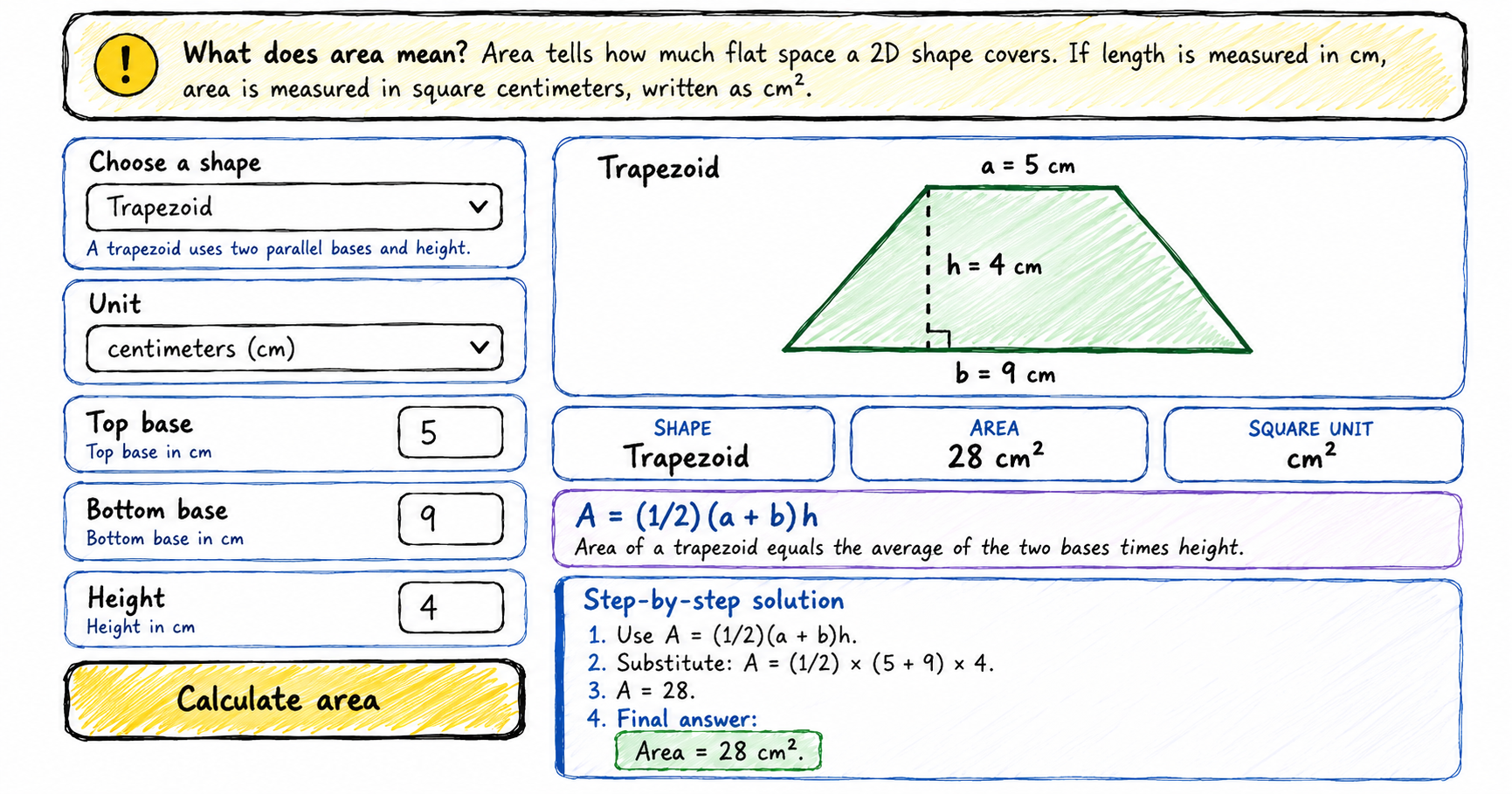
Use this multi-shape area calculator to find the area of a square, rectangle, triangle, circle, semicircle, parallelogram, trapezoid, or ellipse. Each answer includes a diagram, formula, square units, and step-by-step calculation.
How to use the area calculator
Choose a shape
Select square, rectangle, triangle, circle, semicircle, parallelogram, trapezoid, or ellipse.
Enter measurements
The input fields change automatically for the selected shape.
Select a unit
Use mm, cm, m, inches, or feet. The answer appears in square units such as cm2 or ft2.
Read the steps
Check the formula and follow the substitution step by step.
What does area mean?
Area is the amount of flat space covered by a two-dimensional shape. An area of 25 cm2 means the shape covers the same space as 25 small squares that are each 1 cm long and 1 cm wide.
Shape formulas included
Square area calculator
A = s2Use one side length.
Rectangle area calculator
A = l × wUse length and width.
Triangle area calculator
A = (1/2)bhUse base and perpendicular height.
Circle area calculator
A = πr2Use radius.
Trapezoid area calculator
A = (1/2)(a + b)hUse two parallel bases and height.
Ellipse area calculator
A = πabUse the semi-major and semi-minor axes.
Ideas for practice
- Compare a rectangle and a parallelogram with the same base and height.
- Double the radius of a circle and see how much the area changes.
- Change the top base of a trapezoid and watch the formula update.
- Use the same unit for every measurement before comparing answers.
Frequently asked questions
Why is the answer in square units?
Area measures two dimensions, so the unit is squared. Centimeters become square centimeters, written cm2.
What is the difference between area and perimeter?
Area measures the space inside a shape. Perimeter measures the distance around the outside edge.
Why do circle and ellipse formulas use pi?
They include curved boundaries, and pi is part of circle measurement.
Can I use decimals?
Yes. Enter decimal measurements such as 2.5 cm or 7.25 inches.