
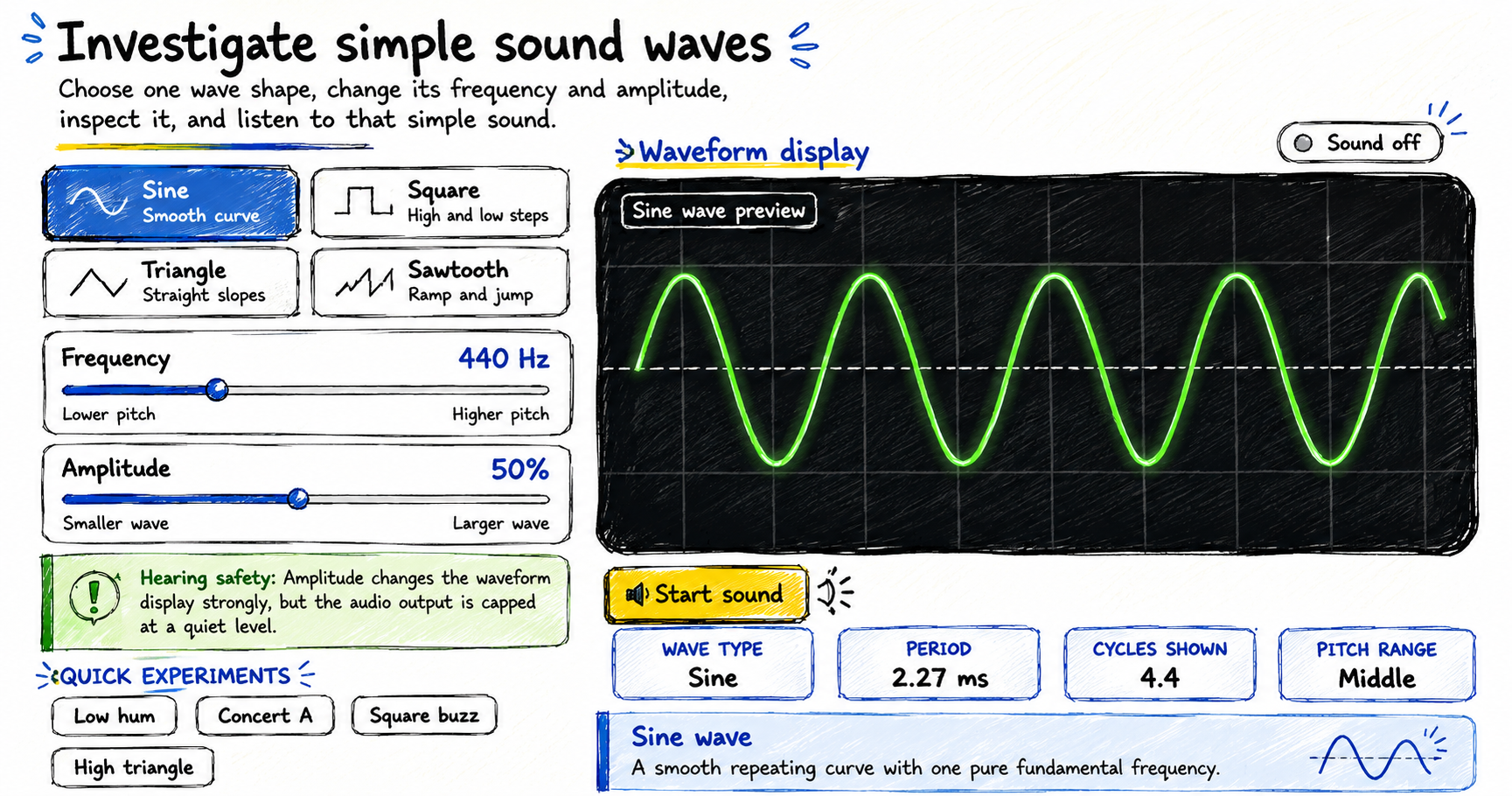
Make your own sound wave by choosing a waveform, changing its frequency and amplitude, adding multiple waves together, observing the shape, optionally listening to the resulting tone, and using your microphone to investigate real sounds.
How to make your own sound wave
The visualizer opens silently. You can explore every control and waveform before starting the audio.
Choose a wave shape
Select sine, square, triangle, or sawtooth and compare its repeating pattern.
Change frequency
Move the frequency slider. Higher frequencies show more cycles and produce a higher pitch.
Change amplitude
Adjust the displayed wave height. The tool limits the audio output to a quiet maximum level.
Start and stop sound
Lower your device volume first, then use the Start sound button inside the section you are investigating.
Add multiple waves
Use Make Your Own Sound to choose a wave shape, set its frequency, amplitude, and phase, then add it to the combined waveform.
Use your microphone
Press Use My Microphone to draw live waveforms from your voice, claps, humming, whistling, or nearby sounds. Freeze holds the clearest recent waveform, which helps capture short sounds.
Sound wave frequency, amplitude, and period
Frequency
Frequency is the number of cycles completed each second and is measured in hertz. A 440 Hz wave completes 440 cycles per second.
Amplitude
Amplitude describes the maximum displacement from the center line. In this visualizer, the slider directly controls the displayed wave height.
Period
Period = 1 / frequencyPeriod is the time needed for one complete cycle. The tool reports it in milliseconds.
Pitch
Pitch is the hearing sensation connected mainly with frequency. Higher-frequency tones are usually perceived as higher in pitch.
Comparing four sound wave shapes
Sine wave
A smooth curve representing a pure fundamental frequency without additional harmonics.
Square wave
A sudden switch between high and low values. Its sharp steps create strong odd harmonics.
Triangle wave
A steady rise and fall with straight slopes. It contains odd harmonics that decrease more quickly than those of a square wave.
Sawtooth wave
A steady ramp followed by a sudden jump. It contains both even and odd harmonics.
Worked frequency and period example
Select the Concert A preset. The frequency is 440 Hz.
One cycle lasts 1 / 440 seconds, which is approximately 0.00227 seconds or 2.27 milliseconds.
Changing the wave shape keeps the same 440 Hz fundamental frequency but changes the waveform and harmonic content.
Sound safety
Begin with your device volume low. The tool caps its own output, but the final loudness also depends on the browser, operating system, headphones, and speakers. Stop immediately if a sound feels uncomfortable.
Sound wave exploration ideas
- Compare all four wave shapes at exactly 440 Hz.
- Double the frequency from 220 Hz to 440 Hz and compare the displayed period.
- Set amplitude to zero and observe the center line.
- Keep the waveform fixed and compare low, middle, and high pitch ranges.
- Predict which waveform will sound least like a pure tone before listening.
- Add two waves with the same frequency but different phase values and observe how the combined shape changes.
- Hum or whistle into the microphone and compare the estimated dominant frequency with the approximate musical note.
Frequently asked questions
Does frequency change the loudness?
No. Frequency primarily changes pitch. Loudness depends on several factors, including wave amplitude, playback gain, and the listening equipment.
Why do waveforms with the same frequency sound different?
Their harmonic content differs. Square, triangle, and sawtooth waves contain additional frequency components that change their timbre.
Why does the visualizer open without sound?
Browsers require a user action before audio starts, and a silent initial state prevents unexpected noise.
What does Hz mean?
Hertz means cycles per second. A frequency of 440 Hz completes 440 waveform cycles every second.
What happens when waves are added?
Their values combine point by point. If two waves push in the same direction, the result grows; if they push in opposite directions, they can partly cancel.
What is dominant frequency?
Dominant frequency is the strongest pitch-like vibration detected in the microphone input. It is most reliable for steady sounds such as humming or whistling.
What is the musical note reading?
The musical note is the nearest piano-style note to the estimated dominant frequency. Speech, claps, and noisy sounds may not have one clear musical note, so the reading is approximate.
Is microphone audio uploaded?
No. The live microphone waveform, estimated dominant frequency, approximate musical note, and input level are processed locally in your browser and are not uploaded on any server.

1 thought on “Make Your Own Sound Wave – Interactive Sound Wave Visualizer”