Echo Simulator – Interactive Tool

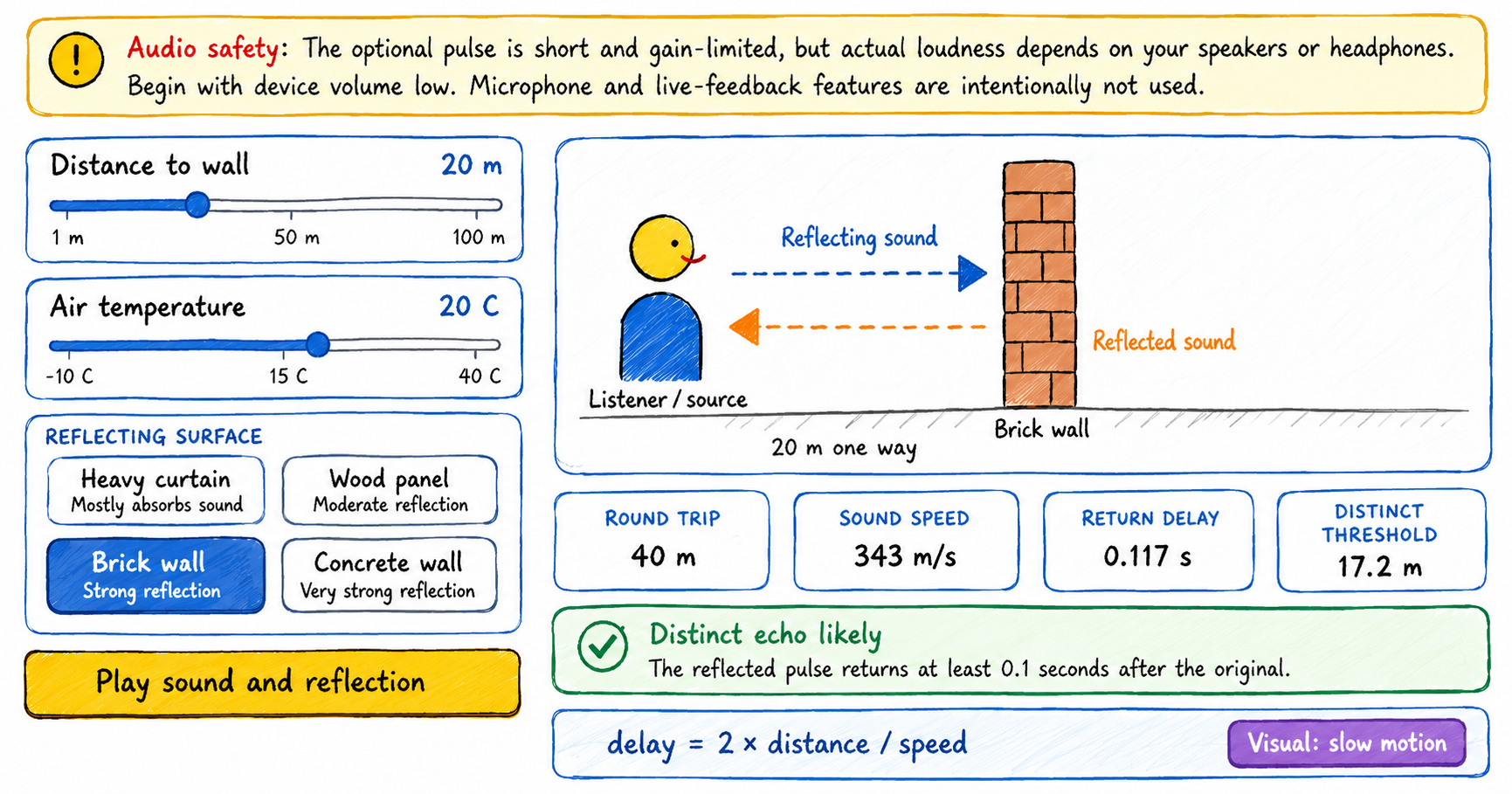
Interactive echo simulator showing a sound wave travelling to a wall and returning

Use this interactive echo simulator to change the distance to a wall, air temperature, and reflecting surface, then observe the outgoing sound and its returning reflection. How to use the echo simulator 1 Choose the distance Move the distance slider to place the reflecting wall from 1 to 100 metres away. 2 Set the air … Read more

Standing Wave Visualizer

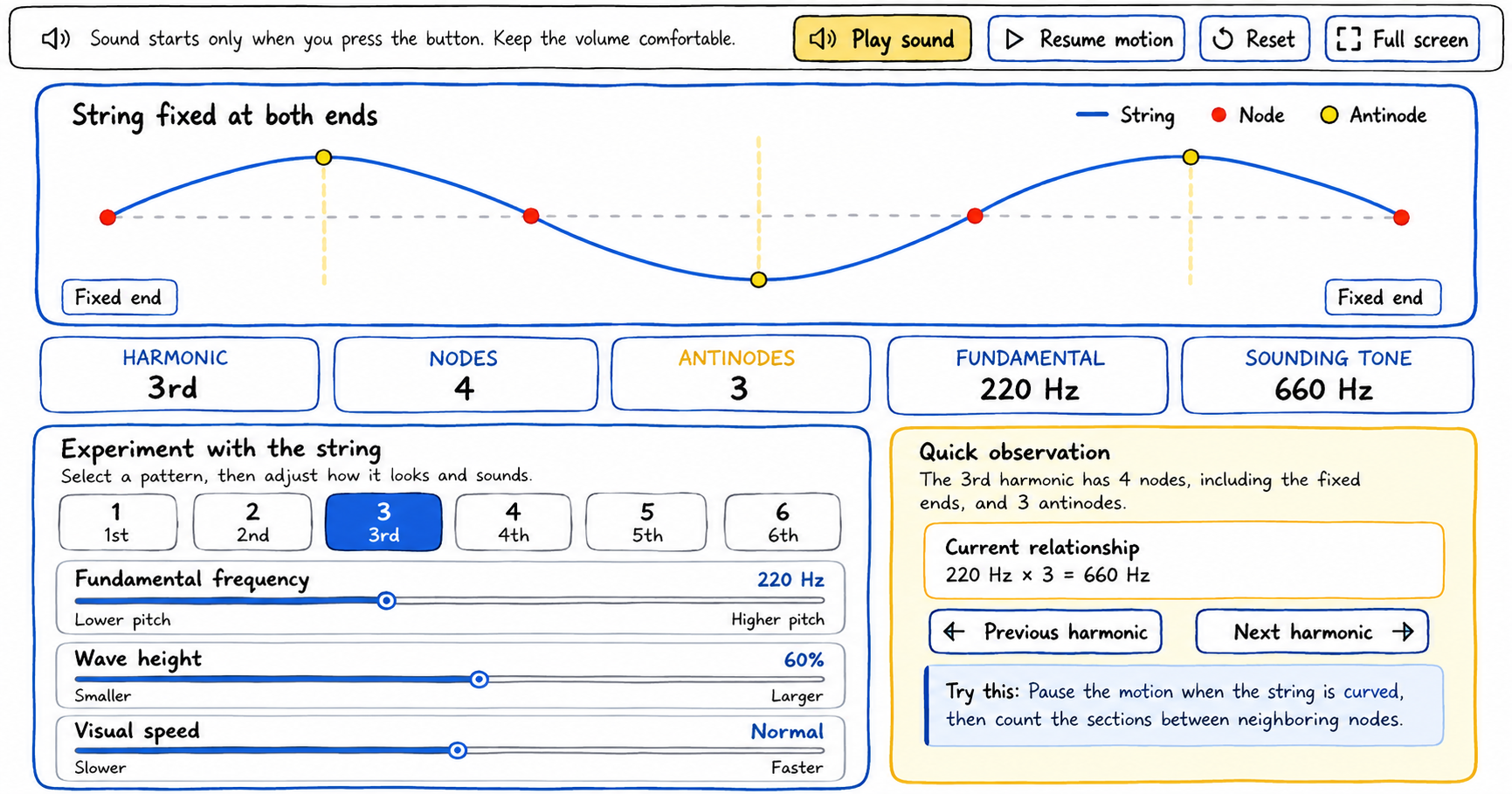
Hand-drawn scribble-style feature image of an interactive standing wave simulator showing a string fixed at both ends with blue wave curves, red nodes, and yellow antinodes. The interface includes harmonic controls, frequency and wave height sliders, result cards for nodes, antinodes, fundamental frequency, and sounding tone, plus a quick observation panel explaining the 3rd harmonic.

Use this standing wave visualizer to select harmonics, adjust the wave, identify nodes and antinodes, and hear the corresponding tone. How to use the standing wave visualizer 1 Choose a harmonic Select a button from 1 through 6. The string pattern and the node, antinode, and tone readouts update immediately. 2 Adjust the controls Change … Read more

Understanding Waves Superposition with this Interactive Tool

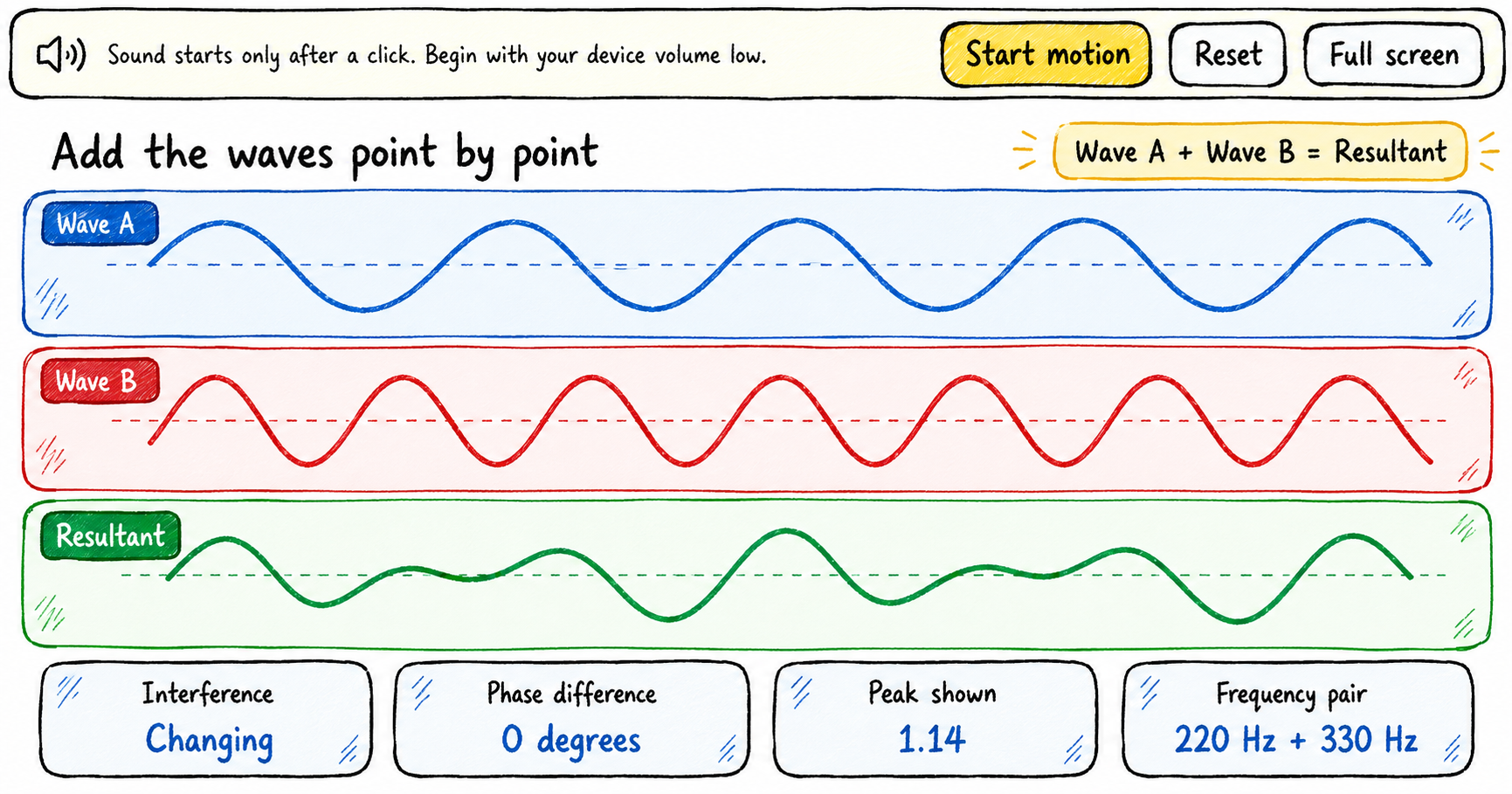
Scribble-style educational infographic demonstrating wave superposition and interference, showing blue Wave A, red Wave B, and their green resultant wave, with a 0° phase difference, changing interference, and a frequency pair of 220 Hz and 330 Hz.

Explore the superposition of waves by changing the frequency, amplitude, and phase of two waves, then observing how their displacements combine to form a resultant wave. How to use the superposition of waves tool The explorer displays Wave A, Wave B, and their resultant in three aligned graphs. Begin with a quick experiment or build … Read more

The Human Hearing Range Explorer

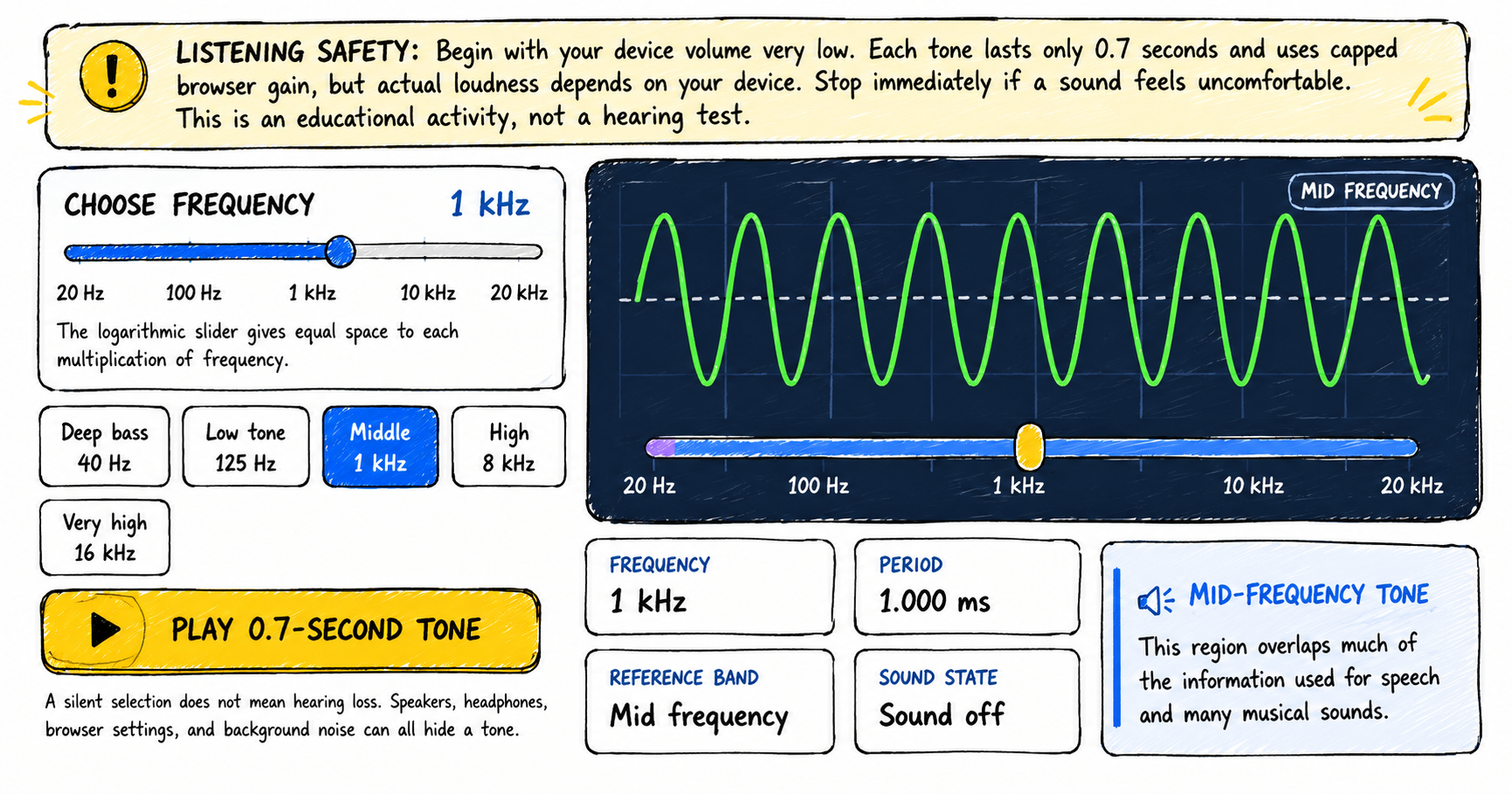
Scribble-style illustraion of Human Hearing Range Explorer. The image shows a sound frequency explorer showing a 1 kHz mid-frequency sine wave, a 20 Hz to 20 kHz frequency slider, tone presets from deep bass to very high, a 1.000 ms period, and a listening safety notice.

Explore the human hearing range from low bass to very high frequencies, compare pitch and period, and optionally record observations from short quiet tone bursts. How to use the human hearing range explorer 1 Lower your volume Set your device volume very low before playing a tone. Stop immediately if any sound feels uncomfortable. 2 … Read more

Make Your Own Sound Wave – Interactive Sound Wave Visualizer

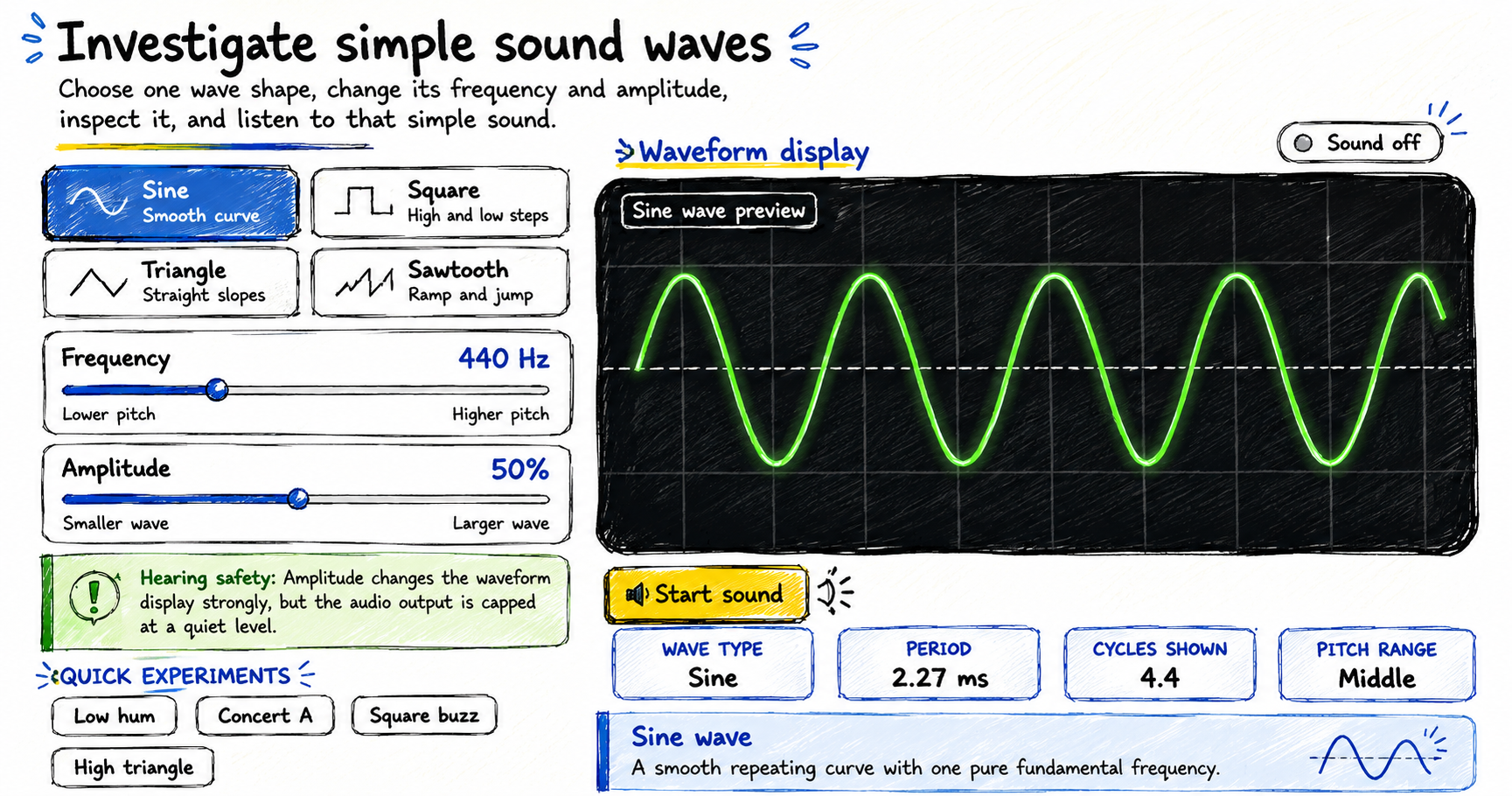
Scribble-style educational infographic for a simple sound wave explorer, showing sine, square, triangle, and sawtooth wave options, frequency and amplitude controls, a 440 Hz sine wave display, hearing safety guidance, and waveform details including period, cycles shown, and pitch range.

Make your own sound wave by choosing a waveform, changing its frequency and amplitude, adding multiple waves together, observing the shape, optionally listening to the resulting tone, and using your microphone to investigate real sounds. How to make your own sound wave The visualizer opens silently. You can explore every control and waveform before starting … Read more